Generate Color Palettes, Typography & Design Tokens — Then See Them Live
TintScale generates production-ready color palettes, typography scales, and design tokens — and lets you preview every change on real website templates, instantly. No more guessing how your tokens will look in production.
Free to use — no credit card required
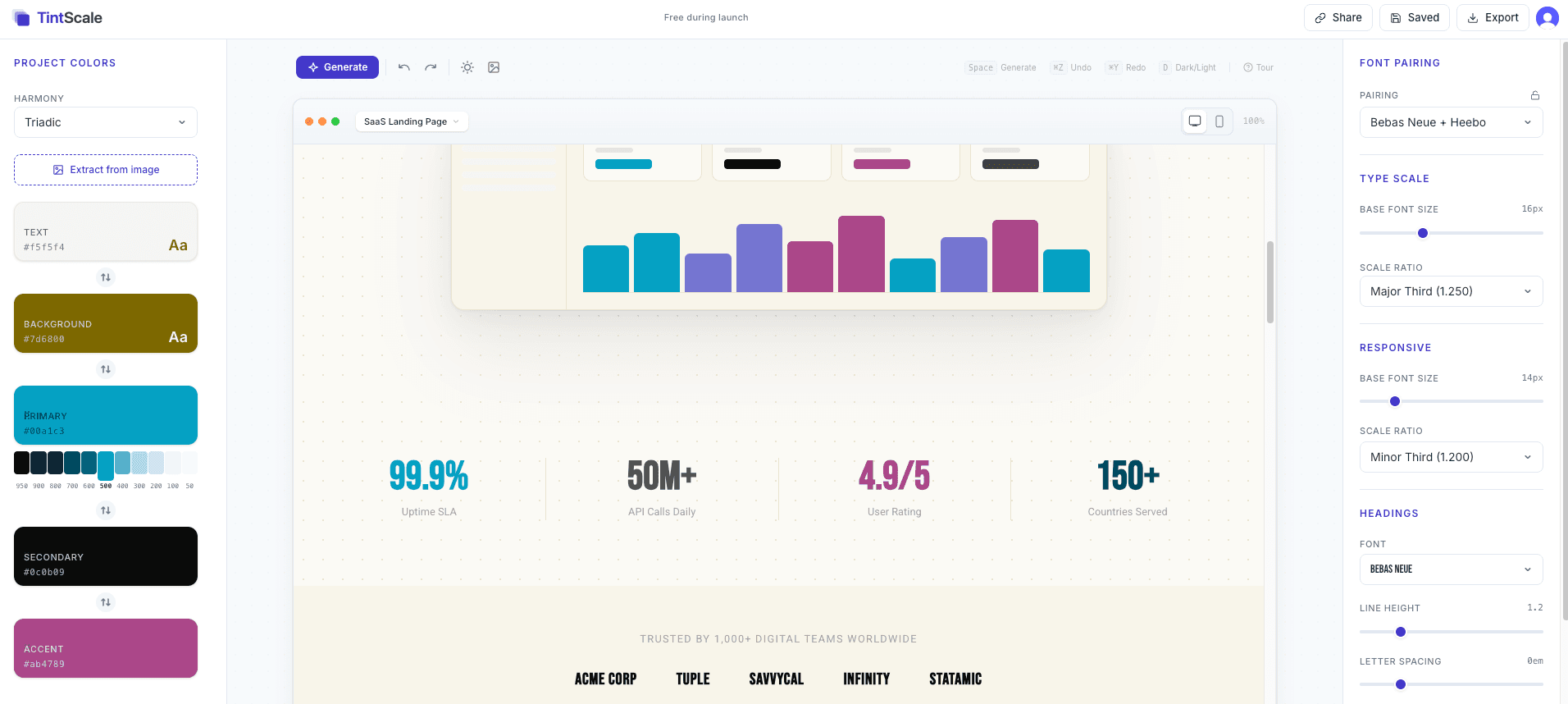
The gap between picking colors and shipping a design system
Designers and developers waste hours bouncing between color pickers, text editors, and browser tabs. TintScale closes that loop.
Color picking in isolation
You choose colors in a picker, paste them into code, and refresh the browser — only to find they clash. Every tweak restarts the cycle.
No live preview
Design tools show swatches — not websites. You can't tell if your palette works on a real page until you've already wired it up.
Manual token creation
Translating design decisions into CSS variables, Tailwind config, SCSS maps, or Figma tokens by hand is tedious and error-prone.
Typography guesswork
Picking font pairings and sizing scales shouldn't feel like rolling dice. Without a mathematical foundation, every heading size is a gamble.
Color Palette Generator with Perceptual Accuracy
Generate production-ready color palettes using OKLCH color science — the same perceptual color space behind Tailwind CSS v4.
OKLCH Perceptual Color Science
Colors generated using OKLCH color space look naturally balanced. Unlike HSL, OKLCH ensures perceptual uniformity — so shade ramps feel even to the human eye, not just mathematically correct.
5 Semantic Roles, 55+ Variables
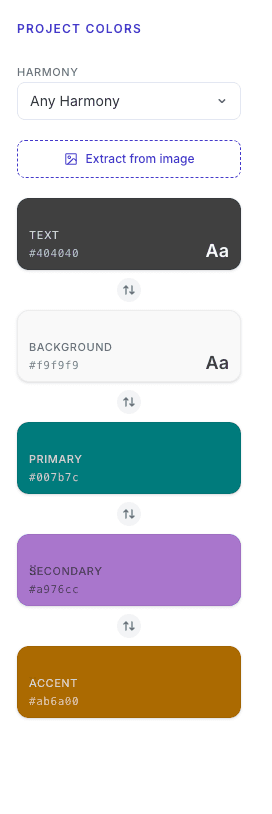
Every palette includes text, background, primary, secondary, and accent roles — each with 11 Tailwind-style shades (50–950). That's 55 production-ready color tokens from a single generation.
Color Harmony Modes
Choose complementary, analogous, triadic, or split-complementary relationships. TintScale's curated seed bank of 90+ color seeds ensures every combination looks intentional, not random.
Lock & Regenerate
Love your primary color but want fresh accents? Lock individual roles and regenerate the rest. Text and background lock by default so your core identity stays consistent.
Typography Scale Generator with Modular Ratios
Build a mathematical type hierarchy with curated font pairings — from Minor Second to Golden Ratio.
25 Curated Font Pairings
Heading + body combos across 5 categories: serifs, sans-serifs, display, monospace, and mixed. Every pairing is hand-picked to work together, loaded from Google Fonts on demand.
8 Modular Scale Ratios
From Minor Second (1.067) to Golden Ratio (1.618), choose a mathematical basis for your type hierarchy. Each step — h1 through small — scales predictably from your base size.
Fine-Grained Controls
Adjust base font size, heading and body line height, and letter spacing independently. Mobile-responsive typography settings ensure text reads well at every viewport width.
Example Scale — Major Third (1.250)
See Every Change on Real Website Templates
Preview your design tokens on production-quality layouts — instantly, without writing a line of code.
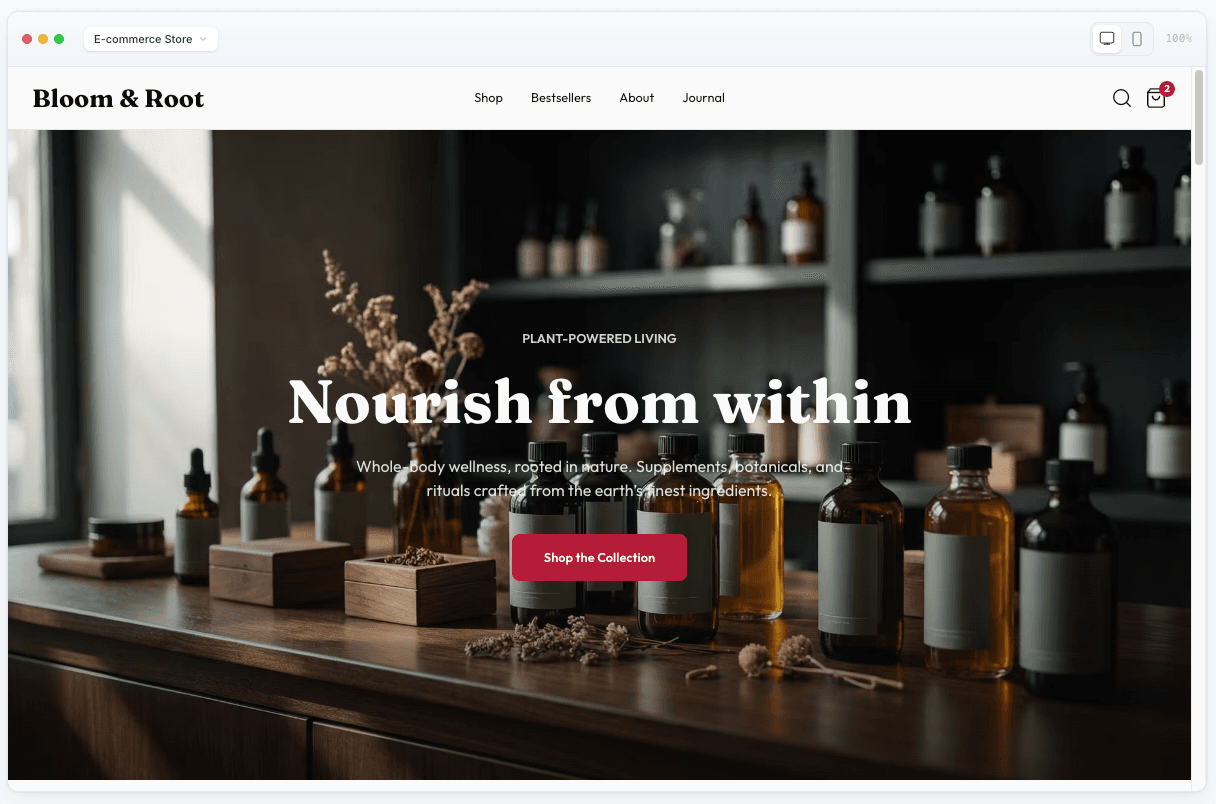
4 Real Website Templates
SaaS landing page, e-commerce store, blog, and portfolio — each a fully designed, production-quality layout. Not wireframes with colors slapped on.
Instant Live Preview
Every color and typography change updates the template in real time. No save button, no reload — just immediate visual feedback as you design.
Dark Mode Preview
Toggle dark mode and see your palette automatically inverted with perceptually correct dark equivalents. Both modes use the same design tokens.
Responsive Preview
Switch between desktop and mobile viewport widths to verify your tokens look right at every breakpoint — without leaving the editor.
Export Design Tokens in 4 Formats
One click to production-ready tokens. CSS, Tailwind, SCSS, and Figma — all generated from the same source of truth.
CSS Custom Properties
.cssReady to drop into any web project. Includes light and dark mode tokens.
Tailwind CSS
.configTailwind v4 theme extension with your full color palette and type scale.
SCSS Variables
.scssSCSS maps and variables for Sass-based design systems.
Figma Tokens
.jsonJSON format compatible with Figma token plugins for design-dev handoff.
Get the plugin- Copy to clipboard or download as file
- Production-ready with dark mode support
- URL state sharing — send exact designs to teammates
Frequently Asked Questions
Everything you need to know about TintScale and design tokens.
What is a design token?
A design token is a named value that represents a design decision — like a color, font size, or spacing unit. Instead of hardcoding #4338CA throughout your CSS, you use a token like --color-primary-500. Tokens make your design system consistent, maintainable, and easy to update across an entire project.
How does OKLCH color science work?
OKLCH is a perceptual color space where equal numerical changes produce equal visual changes. Unlike HSL, where 'lightness: 50%' can look wildly different across hues, OKLCH ensures consistent perceived brightness. TintScale uses OKLCH to generate shade ramps that look naturally balanced — the same approach Tailwind CSS v4 adopted for its default palette.
What export formats are supported?
TintScale exports design tokens in four formats: CSS Custom Properties (ready for any web project), Tailwind CSS (theme extension config), SCSS Variables (maps and variables for Sass), and Figma Tokens (JSON for design tool plugins). All formats include both light and dark mode tokens.
Is TintScale free?
Yes. TintScale is completely free during our launch period. All features are included — palette generation, live template preview, dark mode, multi-format export, image palette extraction, saved palettes, and more. No credit card required.
Can I use TintScale with my existing design system?
Absolutely. Generate tokens in TintScale, export them in your preferred format, and drop them into your existing codebase. The CSS custom properties format works with any framework. The Tailwind format extends your existing config. You can also share designs via URL for team review before exporting.
How does the live preview work?
TintScale's editor shows your design tokens applied to real website templates in real time. Every color change, font swap, or scale adjustment updates the preview instantly — no save button, no reload. You can preview across four template types (SaaS, e-commerce, blog, portfolio), toggle dark mode, and switch between desktop and mobile viewports.
What makes TintScale different from other color palette tools?
Most palette tools stop at color swatches. TintScale generates complete design token systems — colors, typography, and shades — and lets you preview them on real website templates before you export. It's the bridge between 'picking nice colors' and 'shipping a production design system.'
Do I need a credit card to sign up?
No. Sign up for free with just an email address. No credit card required. You get full access to every feature during our launch period.
Start Building Your Design System in Seconds
Generate production-ready color palettes, typography scales, and design tokens — preview them live, then export. Free to start, no credit card required.
Free tier includes unlimited generation, live preview, and dark mode